
NGINX Plus licensing workflows
This reference shows how NGINX Plus validates license status and sends usage reports to F5. The workflows include startup, license expiration, and reporting in both online and offline (disconnected) environments.
Select the image to enlarge.
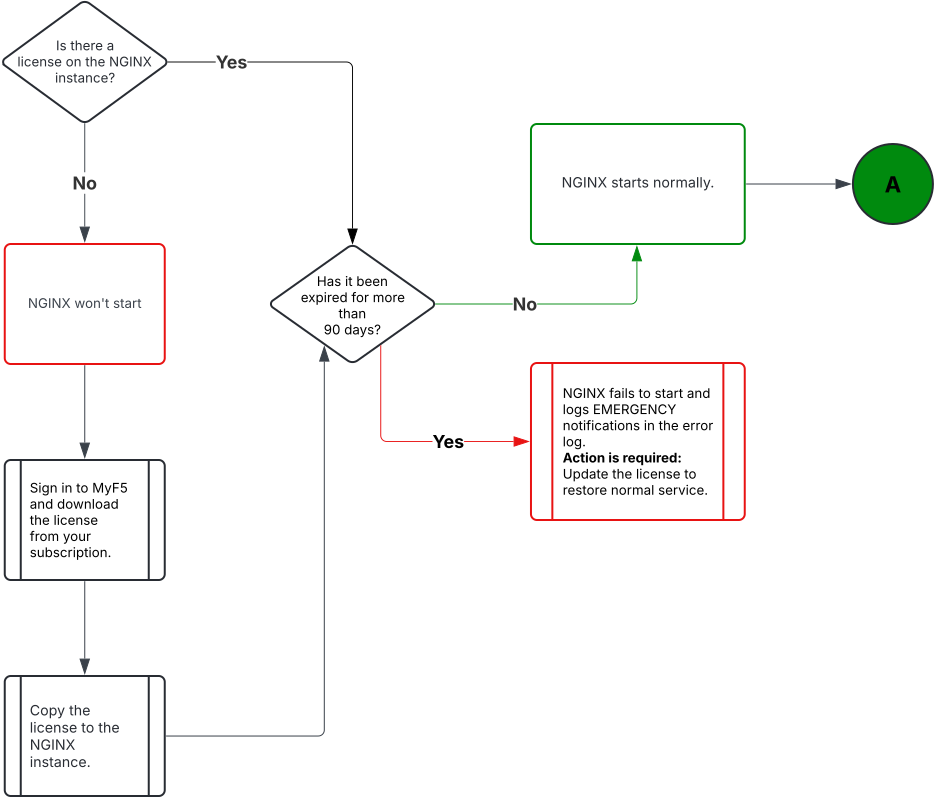
Select the image to enlarge.
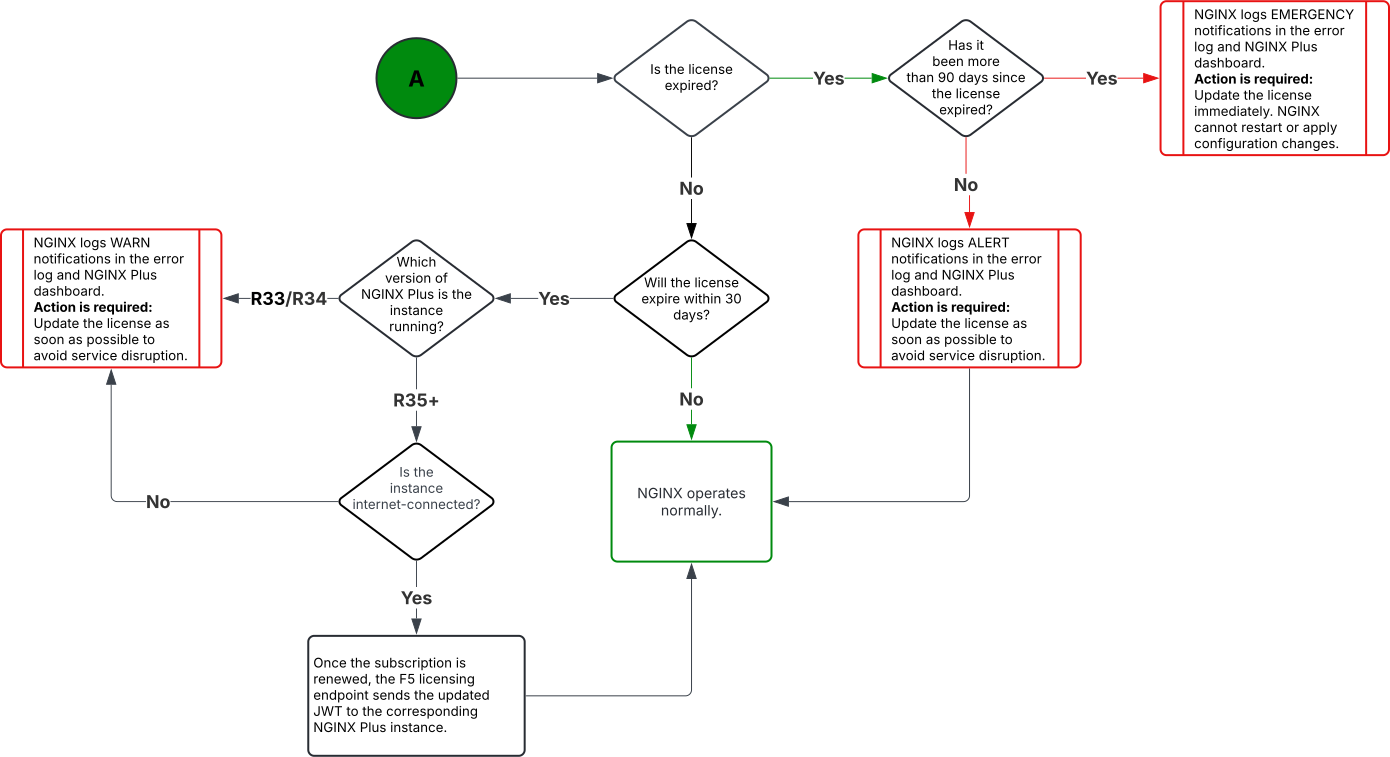
Select the image to enlarge.
Default: every 1 hour.
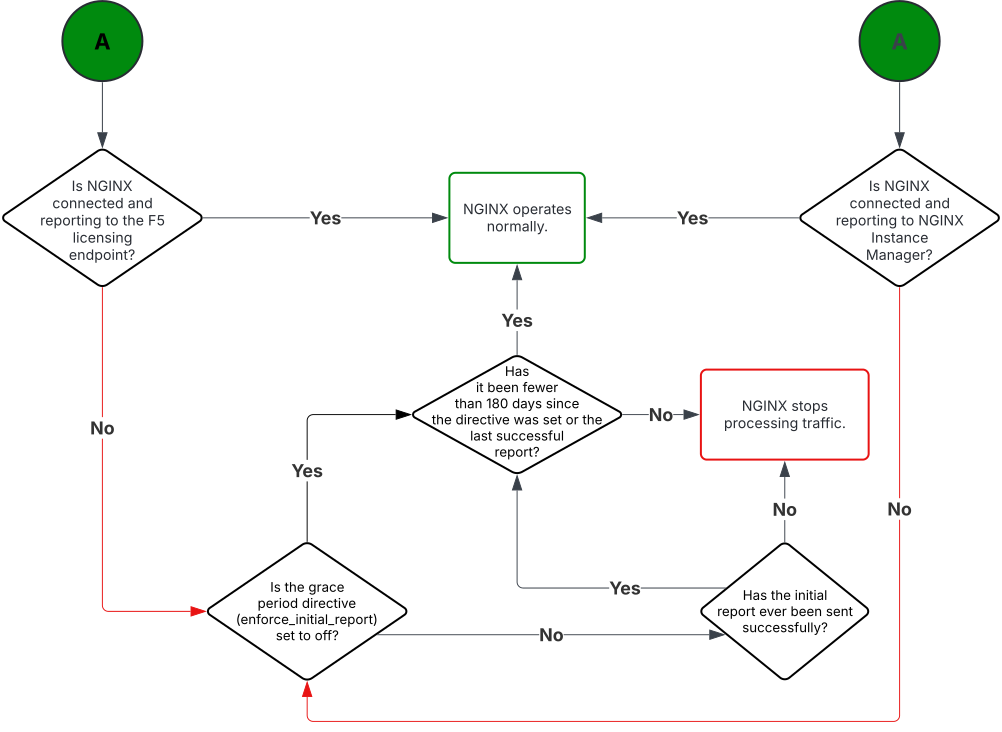
Select the image to enlarge.
Default: every 1 hour.
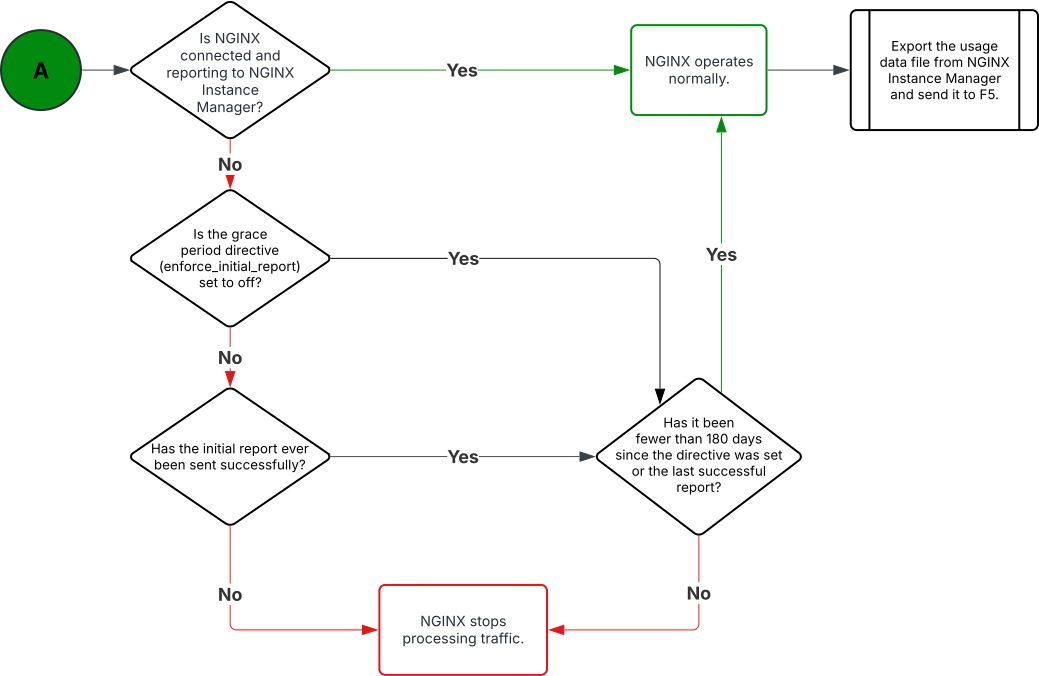
Select the image to enlarge.
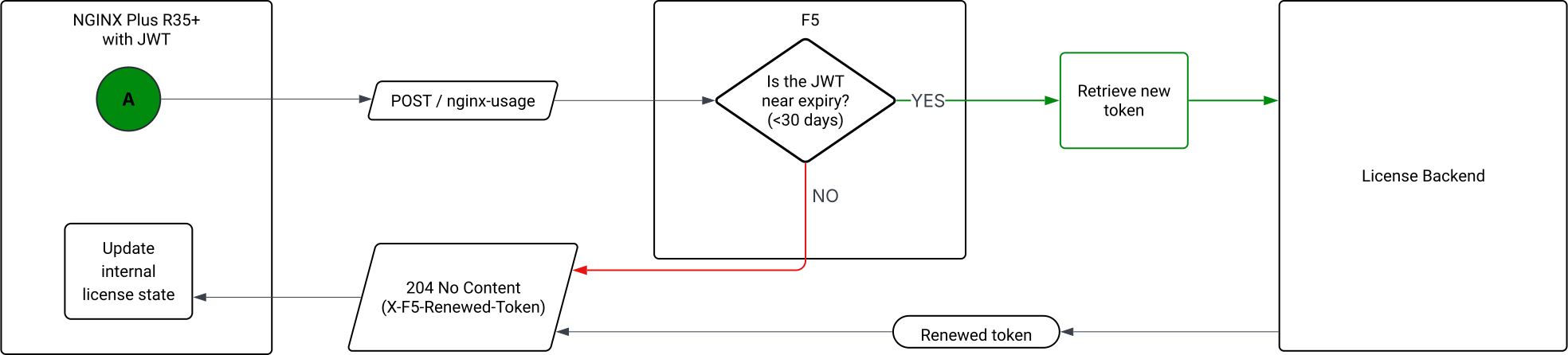
Default: every 1 hour.
FCP subscription renewals require a manual JWT updateIf your subscription uses the Flex Consumption Program (FCP), automatic JWT renewal isn’t supported. When F5 renews an FCP subscription, it creates a new subscription ID. NGINX Plus doesn’t recognize this as a renewal, so the JWT license won’t update automatically. If you don’t update the license before it expires, NGINX Plus will stop processing traffic.
Check your subscription type in MyF5 and plan to update the JWT license manually at each renewal.
For details and steps, see K000160880: JWT license auto-renewal may fail in NGINX Plus.